
Accounting for Freelancers: The Complete Guide 2025
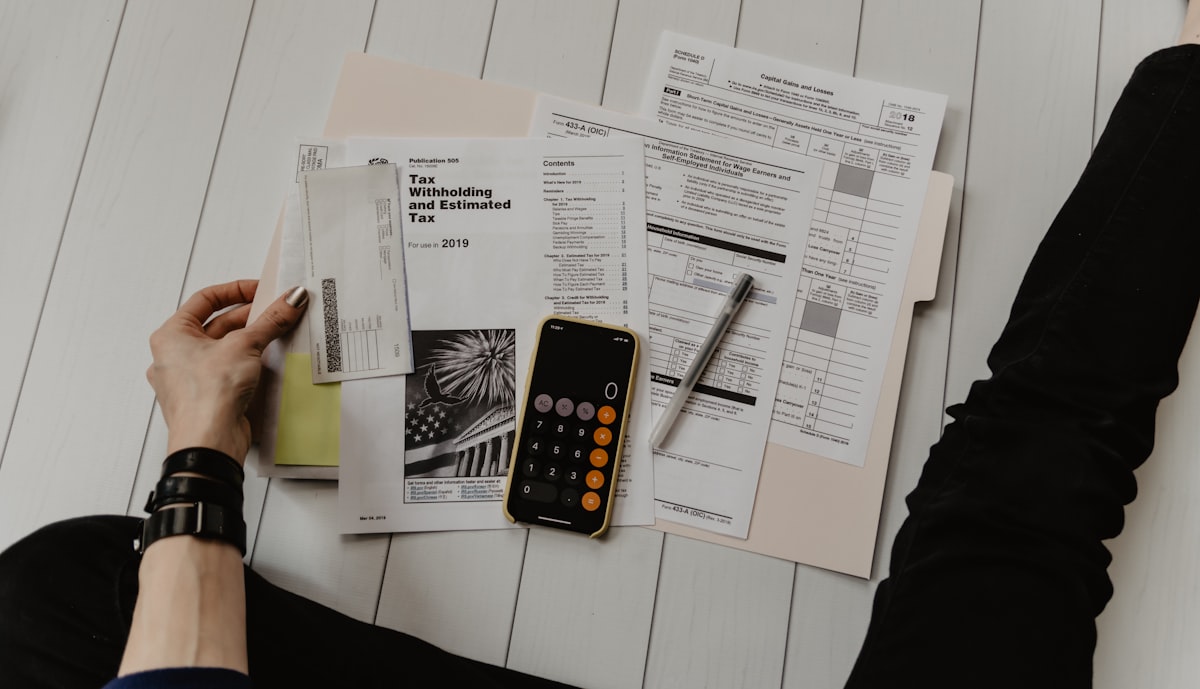
As a freelancer in Germany, accounting is often the part of your work you’d most like to ignore. Writing invoices is fun, winning customers is exciting, but sorting receipts and adding up numbers? That sounds like the kind of work you’d rather leave to someone else. But the reality is: Proper accounting is not only legally required but also essential for your business success.
The good news is that accounting for freelancers is easier today than ever before. Modern tools and software have transformed the complex processes of the past into intuitive, automated systems. What used to take hours per week and required special knowledge can now be done in minutes – if you use the right systems.
Why Accounting Matters
Many freelancers see accounting as a necessary evil, as a bureaucratic hurdle they must overcome to run their actual business. But this view misses an important point: Accounting is not just a legal obligation, but also a powerful tool to understand and control your business.
When you know how much you really earn, how much you spend, and where your money goes, you can make informed business decisions. You can recognize which customers are profitable and which aren’t. You can see which expense categories are growing and which you might want to reduce. You can plan when you can invest and when you need to save.
The legal requirements are clear: You must document all income and expenses, keep receipts for 10 years, and file a correct tax return. Violations can lead to tax back payments, fines, and in the worst case, tax audits. But if you do accounting right, the risk is minimal.
Understanding the Basics
Accounting for freelancers is based on a simple principle: You record all income and all expenses. The difference is your profit or loss. That sounds simple, and it is – at least in theory. In practice, there are many details to consider, many decisions to make, and many pitfalls to avoid.
For most freelancers, income-expense accounting (EÜR) is the right method. It’s simplified but meets all legal requirements. Unlike double-entry bookkeeping, you don’t need to maintain complex accounts, make debit and credit entries, or complete accounting training. You simply compare income and expenses – that’s it.
EÜR is allowed for all freelancers, regardless of revenue. For business owners, it applies as long as revenue is under 600,000 EUR per year or profit is under 60,000 EUR per year. This means: The vast majority of freelancers in Germany can and should use EÜR.
What You Must Record
The basic rule is simple: Everything related to your self-employed activity must be recorded. For income, this means: Every invoice you issue, every payment you receive, every source of income you have. It doesn’t matter whether it’s a large invoice for 5,000 EUR or a small payment of 50 EUR – everything counts. Cash payments must also be recorded, even though they’re sometimes easy to overlook.
For expenses, it’s similar, but with an important limitation: Only business-related expenses count. This means you must distinguish between personal and business expenses. This distinction is sometimes not entirely clear, especially if you work from home, but it’s important for accurate accounting.
Typical business expenses include office supplies and equipment, software and subscriptions, professional services, travel costs, marketing and advertising, insurance, rent for home office or office, internet and phone, training, and business meals. The list is long, but the principle remains the same: If it’s for your business, it’s deductible.
Choosing the Right Systems
The question many freelancers ask is: How do I get started? The answer depends on your needs, your budget, and your time. You essentially have three options: Manual spreadsheets with Excel or Google Sheets, specialized accounting software, or a tax advisor.
Excel or Google Sheets are cheap or even free and offer maximum flexibility. You can create your own spreadsheets, use your own formulas, and customize everything exactly as you want. The downside is that everything is manual – you have to enter every transaction yourself, perform every calculation yourself, and make sure everything is correct yourself. This is time-consuming and error-prone, especially if you have many transactions.
Specialized accounting software like Solobooks automates many of these processes. You can scan receipts via app, automatically import bank data, and the software automatically categorizes your expenses. Invoices are created professionally, VAT is calculated automatically, and at the end of the year you have all the data for your tax return. The effort reduces from hours per week to minutes.
A tax advisor takes care of everything for you, but that costs accordingly – often several thousand euros per year. For most freelancers, a combination of software and occasional consultation is the best solution: The software handles the daily work, the tax advisor helps with the tax return or complex questions.
Creating Professional Invoices
One of the most important tasks in accounting is invoice creation. Every invoice you issue must contain certain mandatory information: Your name and address, your tax number, your VAT ID (if VAT-registered), a unique invoice number, the invoice date, the service date, customer information, a description of the service, the amount, VAT (if applicable), and the total amount.
That sounds complicated, but modern accounting software makes it easy. Tools like Solobooks automatically create professional invoices with all mandatory information. You just need to describe the service and enter the amount – the rest is automatically generated. The invoices look professional, are legally compliant, and can be sent directly by email to your customers.
Invoice numbering is important – it must be consecutive, without gaps, and unique. A logical system like RE-2024-001, RE-2024-002 makes it easy to keep track. The software handles this automatically too.
Organizing and Storing Receipts
One of the most important aspects of accounting is receipt organization. Every expense must be documented with a receipt – this is legally required. The good news is that digital receipts are now fully accepted. You no longer need to print everything and collect it in folders. Scanned receipts, PDF invoices, photos of receipts – everything is allowed, as long as it’s readable and complete.
The retention requirement is 10 years from the end of the tax year. That sounds long, but with digital storage it’s no problem. Modern accounting software automatically stores all receipts and organizes them by year and category. You never have to search for a receipt again – the software finds it immediately.
Organization is crucial. A chaotic pile of receipts at year-end makes tax returns a nightmare. It’s better to record and categorize receipts immediately upon receipt. This takes only seconds if you do it regularly, but saves hours at year-end. Accounting software makes this particularly easy: You scan the receipt with the app, the software automatically recognizes amount, date, and merchant, and you just need to confirm the category.
Developing a Routine
Successful accounting is based on regularity. The best strategy is to develop a routine. Some freelancers do it daily – they record new invoices and receipts immediately as they come in. Others prefer a weekly routine, where they take time once a week to record everything.
The frequency depends on your business. If you have many transactions, a daily or weekly routine makes sense. If you only occasionally issue invoices and have expenses, a monthly routine might be enough. What’s important is that you find a routine that works for you and that you can maintain long-term.
At the end of each month, you should create a brief overview: How much did you earn? How much did you spend? What’s the surplus? This monthly overview not only gives you a good overview, but also makes year-end much easier. If you’re up to date every month, you only need to summarize the months at year-end.
Common Mistakes to Avoid
The most common mistake freelancers make with accounting is procrastination. Receipts accumulate, invoices aren’t recorded, and at year-end you’re facing a mountain of paper and don’t know where to start. The solution is simple: Don’t procrastinate. Record everything immediately as it comes in. It takes only seconds if you do it regularly, but saves hours at year-end.
Another common mistake is mixing personal and business expenses. Especially if you work from home, the line is sometimes blurred. A separate business account can help here – all business income and expenses go through this account, personal finances remain separate. This makes assignment much easier and prevents errors.
Small income is sometimes forgotten, especially cash payments. But even small amounts must be recorded. Tax liability makes no distinction between large and small income. A systematic approach helps ensure nothing is forgotten.
Throwing away receipts is a mistake that can become expensive. During a tax audit, you must be able to present all receipts. If receipts are missing, expenses cannot be recognized, which can lead to tax back payments. The solution: Store everything digitally. Modern accounting software does this automatically – you scan the receipt once, and it’s stored and organized forever.
Preparing for Tax Returns
At the end of the year, you need to prepare your accounting data for the tax return. This means you summarize all income and expenses and enter them in the EÜR attachment of your tax return. The categories in the EÜR attachment essentially correspond to the categories you should also use in your accounting.
If you use accounting software, this step is particularly easy. The software prepares all data and creates an export that you can directly import into your tax return. Or you pass the data to your tax advisor, who then creates the tax return for you. In both cases, you save time and avoid errors.
Receipts should be organized and easily findable. During a tax audit, you must be able to present all receipts. Digital storage makes this easy – you can store all receipts sorted by year and category and find them immediately when needed.
Using Modern Tools
Accounting has changed dramatically in recent years. What used to take hours per week can now be done in minutes. Modern accounting software like Solobooks automates most processes: Receipts are scanned via app and automatically categorized, bank data is imported and transactions automatically assigned, invoices are created professionally with all mandatory information, and at the end you have all data for the tax return.
This automation not only saves time, but also reduces errors. Human errors in entry or calculation are eliminated. The software automatically validates whether all mandatory information is present, whether amounts are correct, and whether categories make sense.
But perhaps the biggest change is clarity. While Excel spreadsheets quickly become confusing, modern accounting software offers clear dashboards, charts, and evaluations. You can see at a glance how your business is developing, which expense categories are largest, and how your profit is developing over time. These insights help not only with tax returns, but also with informed business decisions.
Finding the Right Balance
Accounting doesn’t have to be complicated. With the right systems and routines, it can even be simple and clear. The question is not whether you must do accounting – you must. The question is how you do it.
For most freelancers, modern accounting software is the best solution. It offers the automation that saves time, the clarity that helps, and the professionalism you need – at a price that’s affordable. Tools like Solobooks are specifically developed for freelancers and understand the needs of self-employed professionals. They make accounting not only easier, but also more pleasant.
The investment in the right tools and routines pays off long-term. Time you invest today in setting up a good system, you’ll save many times over later. And the clarity about your finances helps you not only with tax returns, but also in running your business successfully.
A System for Long-Term Success
Accounting is more than just a legal obligation – it’s a tool that helps you understand and control your business. If you do it right, it gives you not only the data for tax returns, but also the insights you need to make informed business decisions.
In the end, it’s not about maintaining perfect accounting – it’s about having a system that works for you and that you can maintain long-term. Modern tools make this possible, and the right routine makes it easy.
Need Help?
If you have questions about accounting or need help setting up your accounting, we’re here to help. Contact us by email at support@solobooks.de, chat with us in the app, or visit our Help Center for more guides.
Last updated: December 1, 2025
Expert Tip
Set aside the calculated VAT in a separate account monthly. This way you avoid liquidity bottlenecks when paying the tax office.
— Solobooks Team


